 Flamingo
Buying clothes online usually means guessing. You look at a model who is a different height and shape, you picture it on yourself, and you find out a week later when the parcel arrives. A free AI avatar removes most of that guessing. In Flamingo you add two photos, a selfie and a head-to-toe shot, and the app builds an avatar that looks like you in about a minute. It costs nothing. From then on you can put any piece from a shop catalogue on your avatar, next to the clothes you already own, and see the full outfit on yourself before you pay. You still check the size guide, but you already know whether the colour suits you, whether the length works with your trousers and whether the piece fits the way you dress. That is most of what goes wrong with an online order.
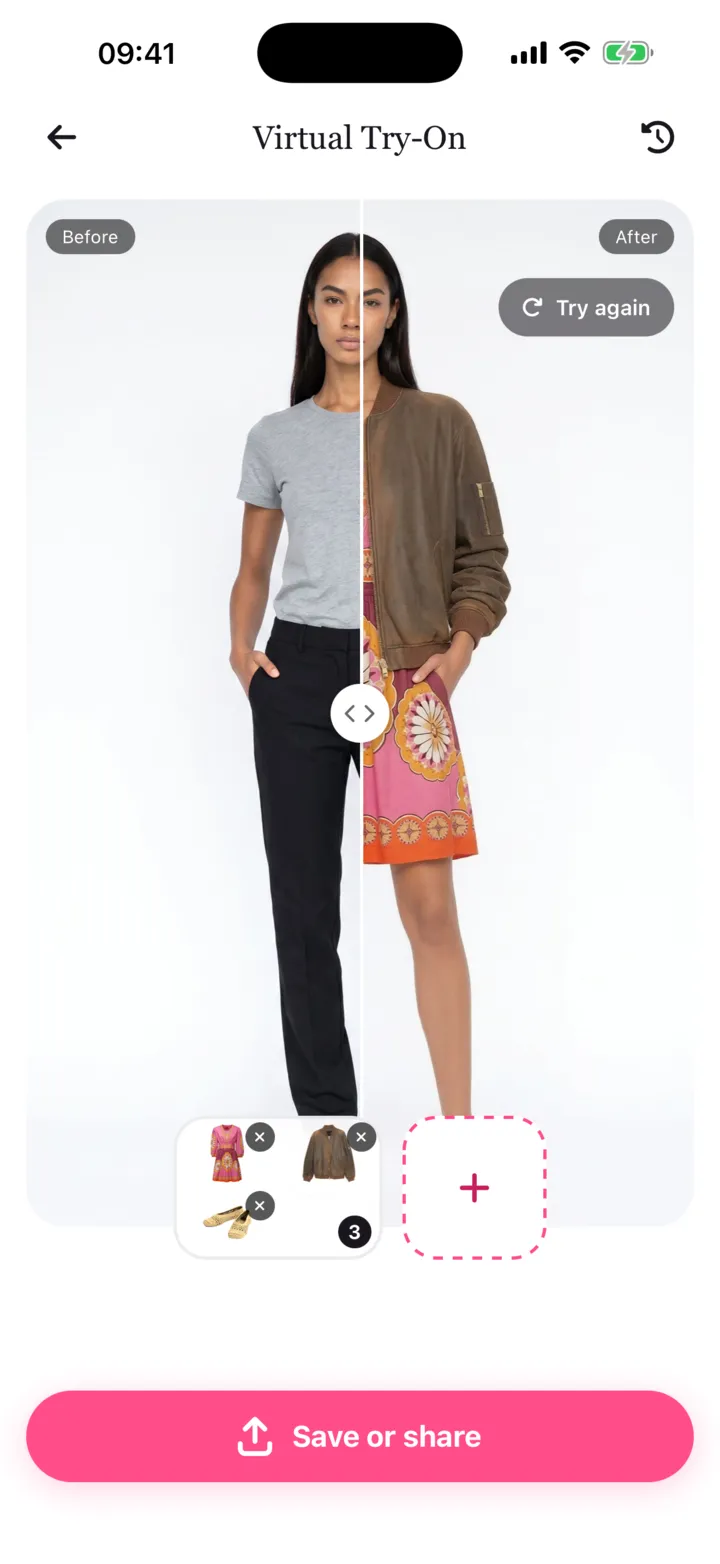
Why seeing it on yourself changes the decision
Product photos answer one question: what does this look like on the model? Your questions are different. Does this green work with my skin? Does this jacket go with the jeans I wear every week? Will these trousers look too long with my trainers?
A try-on on your own avatar answers those directly. Because the avatar stays the same, every piece appears in the same pose and the same light, so you compare like with like.
Try it with what you already own
The most useful try-on is rarely a single item. It's the new piece with your clothes. In Flamingo you can pick several pieces at once, for example a new blazer with two of your own tops and your usual trousers, and see the whole outfit together.
This is where many bad purchases get caught. A piece can look good on its own and still not go with anything in your wardrobe.
Fewer "maybe" orders
Many people order two sizes or two colours and send one back. When you have already seen both colours on your avatar, you can usually order the one you want. That means less time repacking parcels and fewer trips to the post office.
How to start
- Download Flamingo on iPhone or open the web app at app.tryflamingo.app.
- Add a selfie and a head-to-toe photo. Your AI avatar is free and ready in about a minute.
- Add a few of your own clothes to your digital wardrobe, then pick a catalogue piece and try it with them.
New users get a free first try-on. Ongoing try-ons are part of Flamingo Pro. Read more about virtual try-on.