 Flamingo
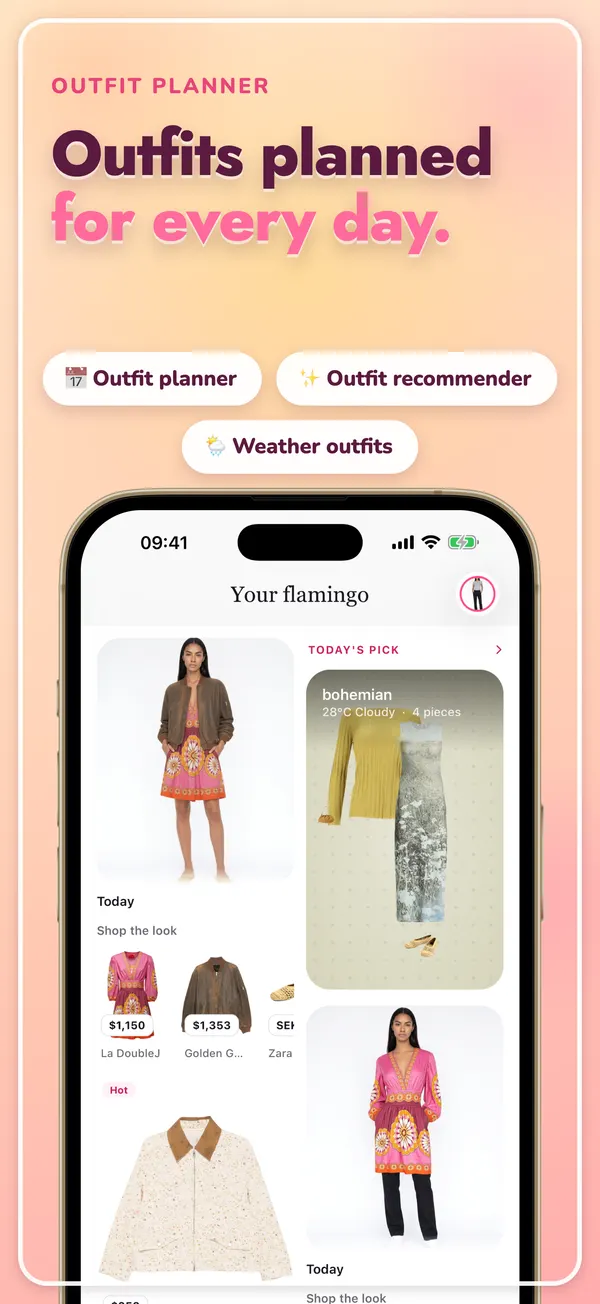
AI outfit recommendations suggest what to wear by matching pieces on colour, style, season and occasion. The useful ones start from the clothes you already own, not from a shop. In Flamingo you photograph your clothes once and each piece is cut out into a digital wardrobe. Every day, today's pick puts together an outfit from those pieces for your local weather, so there's a suggestion waiting when you open the app. It's free. When you need something specific, such as a job interview, a date or a wedding, the outfit generator builds a look from your closet for that occasion, and you can put any suggestion on your twin, an AI avatar of you, to see it before you get dressed. The more clothes you add, the better and more varied the suggestions get.
How does an AI choose an outfit?
Roughly the way a stylist would, but faster:
- It reads each piece. Type, colour, pattern, fabric weight and how formal it is.
- It looks at the context. The weather where you are, the occasion, the season.
- It combines pieces that work together. A top, a bottom or a dress, shoes, and a layer if it's cold, balanced on colour and proportion.
- It follows your style. Suggestions stay close to what you actually wear, rather than pushing a trend.
The rules underneath are the ones in our guide on how to put together an outfit: one focus piece, colours that agree, and a balance of loose and fitted.
Why recommendations from your own closet are better
Generic outfit ideas are pictures of other people's clothes. You can't wear them tomorrow. Suggestions from your closet are outfits you could put on right now, and they often find combinations you'd never tried. Most people wear a small part of their wardrobe because it's hard to picture new pairings at 7am. See outfit ideas from your closet for ways to do this by hand too.
What kinds of recommendations does Flamingo give?
- Today's pick (free): one outfit a day from your closet, chosen for the local weather.
- Outfit generator (Pro): a look for an occasion and a mood, built from your clothes, with shop pieces added if you allow it.
- Outfit builder (Pro): pick one or more pieces yourself and Flamingo fills in the rest.
- Try it on (Pro): see any suggestion on your twin before you wear it.
Your closet and twin are free, and you don't need an account. See the AI outfit planner for more on each.
How do you get better suggestions?
- Add more pieces. With ten items there are few good combinations. With forty there are hundreds.
- Include shoes and outerwear. They finish an outfit and matter most for weather.
- Keep your closet current. Remove pieces you've given away so they stop turning up.
- Check the weather picks in layers. Our layering guide explains what to add when it turns cold.
To get your first daily pick, get Flamingo on iPhone or Android, or open app.tryflamingo.app, and add a few clothes. This article is written by the Flamingo team.