 Flamingo
To try on clothes online with AI, you can use one of four things: Google's Try On feature on supported products in Search, where you upload a full-length photo; a virtual try-on app that dresses a saved avatar of you, such as Flamingo; a try-on tool built into a shop's own site; or a general AI image tool that edits your photo. Which is best depends on how often you'll use it. Google's feature suits a quick check on a single product where it's available. An avatar app suits people who want to compare lots of outfits, mix new pieces with clothes they own, and keep the results. All of them make an AI image, so they're useful for colour, proportions and styling but can't confirm your size or how the piece will fit.
What are the options?
| Method | How it works | Best for | Limits |
|---|---|---|---|
| Google Try On in Search | Tap the option on a supported product and upload a full-length photo | A quick look at one product | Only on supported products and in supported countries |
| Avatar app (such as Flamingo) | Build an avatar once, then dress it in clothes from anywhere | Comparing full outfits, mixing with your closet | Needs set-up, and often a subscription |
| Shop tools | Try on inside one retailer's site | Shopping with that retailer | Only that shop's clothes |
| General AI image tools | Upload your photo and a garment image and ask for an edit | One-off experiments | Results vary, and nothing is organised for you |
How does Google's Try On work?
Google launched its AI try-on in Search in the US in July 2025, and has since brought it to more countries, including Malaysia in June 2026. When a product supports it, you select the try-on option and upload a full-length photo of yourself. It's convenient because there's nothing to install, but it works one product at a time, from products Google supports, in the countries where it's offered. Google also had a separate try-on app, Doppl, which it closed on 30 April 2026. If you used it, see our Doppl alternative guide.
How does an avatar try-on app work?
You make your avatar once, then every outfit uses it. In Flamingo:
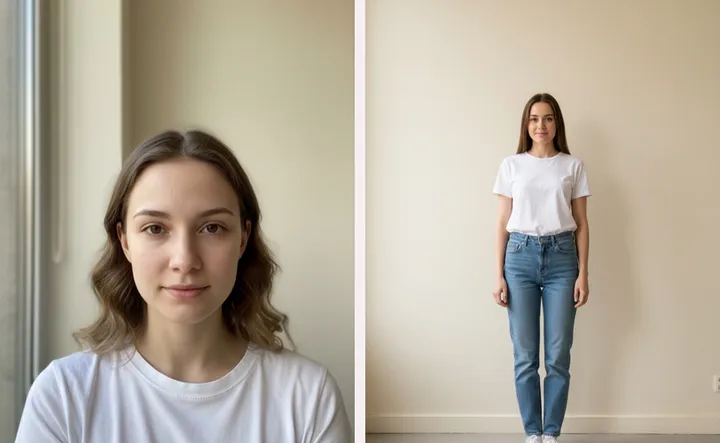
- Add two photos, a selfie and a head-to-toe shot, and Flamingo builds your twin, a free AI avatar of you. Our guide to the best photos for an AI avatar has tips.
- Add clothes. Photograph what you own, pick from shop catalogues in the app, or use a screenshot of an outfit, and Flamingo cuts out each piece.
- Try them on. Choose one piece or a whole outfit, then compare the before and after with a slider.
Because the avatar keeps the same pose and light, your looks are easy to compare. And you can mix pieces from different places, such as a jacket from a shop screenshot with jeans you already own. For other apps, see our comparison of the best virtual try-on apps.
Can I use a general AI image tool?
You can try. Many AI image tools will edit a photo if you upload it along with a garment picture and describe what you want. It's handy for a one-off, but results depend on the tool and your prompt, garments can change in the process, and you have to start over for each outfit. It also means uploading a photo of yourself to another service, so check how each tool stores and uses your images.
How do I get a more accurate result?
- Use a clear photo. Good light, a plain background and a full-length, front-facing pose help most tools.
- Use a clear garment image. Choose a flat shot or a clean model shot, without other people or heavy filters.
- Judge the right things. Colour, pattern, proportion and how pieces work together are what AI gets closest to. Size and fit aren't. See how accurate virtual try-on is.
- Check the size chart anyway. Here's how to buy clothes online and avoid returns.
What about my photos and privacy?
Before you upload, find out who can see your images and whether you can delete them. In Flamingo, your two setup photos are private and are never shown to other users. New looks stay private unless you choose to share them on the Inspo feed, and you can delete your data from your profile.
Which should I choose?
- Checking one product, once: try Google's feature, if it's available to you.
- Buying from one big retailer: see if that shop has its own tool.
- Comparing outfits regularly or using your own wardrobe: an avatar app is the better fit.
To try the avatar route, get Flamingo on iPhone or Android, or open app.tryflamingo.app. Your closet and your twin are free; try-ons come with Flamingo Pro. This article is written by the Flamingo team, so weigh our app's place in it accordingly.